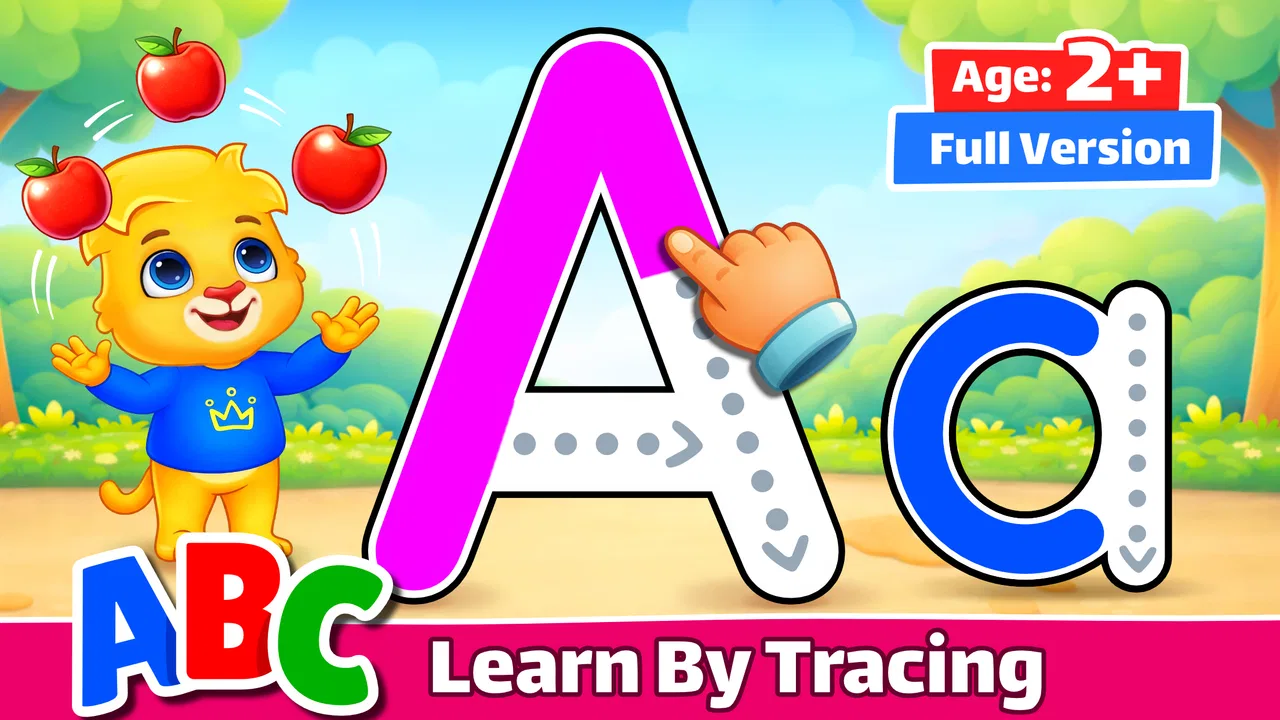
ABC Kids - Tracing & Phonics
- 4.5
- Rating
- 50.00M
- Installs
- Free
- Price

 Analysis by App-foxy
Learning the alphabet can become frustrating when a child is asked to sit still and repeat the same worksheet. ABC Kids - Tracing & Phonics takes a more playful route, turning early letter practice into a touch-based activity for toddlers, preschool children, and kindergarten learners. I found it easiest to understand as a gentle first step between watching an educational video and working with a paper workbook: the child has to interact, but the experience remains simple enough for very young users.
This is a free educational game from RV AppStudios, available for Everyone and designed around phonics and alphabet tracing. It is not trying to replace a teacher, a reading program, or a complete early-literacy curriculum. Its value is narrower and more practical: it gives a child a low-pressure place to recognize letters, listen, and practice the basic movement of tracing. For a family looking for a quick activity during a quiet moment, that focus is a strength.
How ABC Kids feels in everyday use
In everyday use, I’d treat ABC Kids as a small, repeatable part of a child’s routine rather than a lesson that needs to fill a whole stretch of screen time. The useful question is how to turn a quick interaction into a moment of learning the child can carry away. That becomes clearer when looking at the rhythm of each attempt and what keeps a young learner engaged.
You May Also Like

 Blood Strike: 2.5 Anniversary
Blood Strike’s Loadouts Turn Every Drop Into a Tactical Gamble
A close look at Blood Strike’s custom loadouts: how fast access to signature weapons reshapes its battle royale rhythm, rewards preparation, and narrows the gap between fights.

 Pandora - Music & Podcasts
Pandora’s Music Is Easy to Start, but Harder to Recover
Pandora’s strength is its low-effort path from a seed to a station. Its weak spot is how much confidence it asks you to place in connection, setup, and quiet recovery.

 8 Ball Pool
 Is Built on Rivalries, Rematches, and Routine
A close look at the rivalries, rematches, shared routines, and unanswered safety questions that turn a quick pool match into a persistent mobile community.

 Samsung Music
’s Quiet Strength Is Playing What You Already Own
Its reach comes less from spectacle than from dependable access to a personal library. That simplicity is both the app’s strongest retention engine and its ceiling.

 AccuWeather: Weather Radar
AccuWeather Review: A Quick, Clear Forecast for Everyday Decisions
For everyday plans, the best forecast is the one you can understand quickly. AccuWeather makes rain timing, radar, and local conditions easy to act on, with a few trade-offs.

 Hill Climb Racing
Why Hill Climb Racing Still Turns Crashes Into One More Run
A tiny car, a bumpy hill and one more upgrade: Hill Climb Racing keeps resurfacing because its simple chaos makes every near-miss feel personal.
More From Our News Desk
View All News


A quick start that suits short attention spans
My first impression is that the game is built for children who do not want to navigate menus before reaching the activity. That matters more than it may sound. A preschooler usually does not need a complicated dashboard, progress system, or collection of settings. The useful test is whether the child can understand what to touch next without an adult explaining every screen.
The alphabet-and-tracing format makes the purpose immediately clear. A parent can hand over the device for a short practice session, then return later without having to reconstruct a complicated lesson. I would still stay nearby at first, especially with a toddler, but the basic interaction is approachable enough for a child who is beginning to use touch controls.
Perceived speed is also important in children’s apps. A delayed response can look like a mistake to a young learner, while an immediate response feels like encouragement. In normal use, I would judge this game less by demanding animation and more by whether the touch-and-response rhythm stays understandable. It benefits from keeping the learning task visually focused rather than surrounding it with busy distractions.
That simplicity has a trade-off. Children who already read confidently may find the activities repetitive. The app is better suited to building familiarity than to testing advanced spelling, reading comprehension, or independent writing. I would use it at the beginning of a learning routine, not as the only literacy tool in the house.
What the tracing activity actually gives a child
Tracing on a screen is not the same as writing with a pencil. The child does not receive the same resistance, grip practice, or fine-motor feedback that comes from paper. Even so, the digital format can help a beginner notice letter shapes and follow a guided path without the pressure of producing a perfect handwritten character.
I found the strongest use case is repetition in small portions. Instead of asking a child to complete a long session, I would choose a few letters, let the child trace them, say the sounds aloud together, and stop while the activity still feels positive. That approach makes the game a bridge to offline practice rather than a replacement for it.
One useful habit is to connect the on-screen letter to something familiar immediately afterward. If the child works with a letter, I might ask them to find an object in the room that begins with the same sound. This turns the app from an isolated tapping exercise into a short lesson with a real-world follow-up. The game supplies the prompt; the adult supplies the conversation and context.
The best results come when the screen activity is followed by speaking, pointing, or pencil work. That is an important limitation to understand before downloading. A child can become comfortable recognizing the visual pattern of a letter while still needing substantial help with pronunciation, handwriting, and blending sounds.
Handling busy moments at home
A realistic scenario is a parent preparing dinner while a preschooler needs a calm activity nearby. ABC Kids can fit that gap better than a complicated educational platform because the learning goal is narrow and the controls are easier to explain. I would introduce it before the busy moment, make sure the child knows what to do, and keep the session short rather than treating it as unattended childcare.
It can also work during travel or a waiting-room pause, provided the device is ready and the child is not relying on sound in a noisy environment. Phonics activities are more useful when the child can hear the spoken sounds clearly, so a crowded place may reduce the educational benefit even if the tracing itself remains possible.
Heavy use exposes the difference between a focused learning game and a full educational suite. A child may want to repeat favorite letters many times, while an adult may want broader progression. Repetition is not automatically a problem at this age; young learners often need it. The issue is whether the child is repeating with attention or simply tapping through familiar motions.
To keep the activity productive, I would vary the follow-up rather than forcing the app to provide all the variety. After tracing, ask the child to identify the letter on a cereal box, make its sound, or draw it with a finger in the air. This costs nothing, prevents screen practice from becoming mechanical, and gives the adult a better sense of what the child actually understands.
Stability, recovery, and the parent’s role
For a children’s game, reliability is not only about avoiding crashes. It is also about whether the child can recover after losing focus, touching the wrong area, or handing the device to an adult. A good early-learning tool should not punish exploration with confusing consequences. ABC Kids works best when the parent treats mistakes as part of the activity rather than rushing to correct every movement.
I would not expect a young child to manage every device-level interruption alone. Notifications, screen locking, accidental exits, and switching between apps are still adult responsibilities. Before a session, I would silence distractions where appropriate, check the volume, and place the device securely. Those steps improve the experience more than searching for a more elaborate learning app.
Recovery is particularly important with toddlers. If the child leaves the activity, the adult should be able to return without turning the moment into a technical lesson. The app’s focused design helps here because there are fewer educational goals to remember. Still, I would avoid assuming that a child can safely use any app unsupervised simply because its content rating is Everyone.
There is also a practical distinction between a stable app and a complete family solution. Even when the game behaves as expected, it cannot decide whether a child is ready for a particular sound, whether tracing is being done correctly, or whether the learner needs a break. Those judgments remain with the parent or teacher. I see the game as a dependable prompt for practice, not an automated tutor.
Device age and resource expectations
The listed minimum operating system is Android 6.0, which makes the game accessible to owners of older compatible devices. That is useful if a family has a spare phone or tablet for children rather than a recent flagship. At the same time, operating-system compatibility does not guarantee that every old device will feel equally comfortable. Screen size, touch responsiveness, available storage, and general device condition can all affect a young child’s experience.
Because the activity is centered on letters and tracing rather than demanding three-dimensional graphics, I would expect modest performance demands compared with visually intensive games. That does not justify inventing a battery estimate or claiming identical behavior on every phone. My practical advice is to test it on the actual device the child will use, especially if that device is old, crowded with apps, or already slow in other tasks.
A larger tablet can make tracing easier because the child has more room to follow a letter. A small phone is more portable, but it may encourage cramped finger movements and accidental touches. For a toddler, the larger display is usually the better learning surface, while a phone makes more sense for a brief travel session. This is a meaningful trade-off that a store summary cannot show.
Resource demands also include adult attention. The game may be lightweight compared with many modern games, but the child still benefits from someone listening to the sounds and noticing whether the activity is helping. If you need an app that records detailed learning progress for several children, organizes lessons, or supports a formal classroom workflow, this focused game may feel too limited.
How it compares with paper, videos, and broader learning apps
Compared with a phonics video, ABC Kids is more interactive because the child has to trace and respond rather than only watch. That can make it a better choice when passive viewing has stopped holding attention. A video may still be preferable when an adult wants to model pronunciation, sing together, or introduce a story, since the game cannot replace live interaction.
Compared with paper worksheets, the game offers quicker feedback and a less intimidating entry point. A child who presses too hard or struggles to control a pencil can begin by following a digital path. Paper remains superior for building pencil control, forming letters independently, and seeing how writing feels outside a screen. I would use both, with the game supporting recognition and paper supporting physical writing.
Compared with broad preschool learning suites, this app is easier to approach but less comprehensive. A larger platform may offer numbers, puzzles, stories, memory games, and progress tracking in one place. That breadth can be useful for a family seeking a complete daily curriculum, but it can also create more menus, more distractions, and a heavier experience for a very young beginner.
Its large audience suggests that the straightforward format has broad appeal: the game has an average rating of 4.6 from around 89 thousand ratings and has passed 50 million installs. Those figures do not prove that it will suit every child, but they do indicate that it is not an obscure experiment. I would still base the decision on the child’s age, attention span, and need for guided practice rather than popularity alone.
Who should use it and who should skip it
I would recommend ABC Kids to parents introducing the alphabet, caregivers who want a short phonics activity, and children who respond well to visual repetition and touch interaction. It is especially sensible when the goal is modest: recognize letters, hear their sounds, and become more comfortable following letter shapes.
I would be more cautious if the child becomes overstimulated by screens, refuses any activity without a reward system, or needs help with a specific speech or reading difficulty. In those situations, a teacher, speech professional, or carefully chosen offline resource may be more appropriate. The game can support practice, but it should not be presented as a solution for every learning need.
Older children who are already reading words may also outgrow it quickly. They may gain more from phoneme blending, decodable stories, spelling practice, or handwriting exercises. Choosing a more advanced tool is not a criticism of this game; it simply reflects that ABC Kids is aimed at the earliest stage of literacy.
Version, access, and long-term usefulness
The current version is 2.3.2, and the game is free to use. That removes the biggest barrier for families who want to try a short learning activity before committing to anything. The free price is particularly helpful when the child’s interest is uncertain, although I would still review the experience on the specific device and decide whether it fits the household’s screen-time rules.
The game was released on March 3, 2016, so it has had time to become a familiar option in the children’s educational category. Its age can be viewed in two ways. On one hand, a long-running app may feel reassuring compared with an unknown newcomer. On the other, parents should not assume that an older release will match the design polish or teaching depth of newer products. The right question is whether its focused activities still meet the child’s immediate need.
For repeated use, I would keep expectations realistic. It is not a complete course with a guaranteed path from letters to fluent reading. Its long-term value comes from being easy to revisit in small doses, especially when paired with books, conversation, and handwriting. A child might use it for several minutes before breakfast, then practice the same letters with magnetic pieces or a pencil later in the day.
My performance verdict for early learners
ABC Kids succeeds because it does not ask a beginner to manage too much at once. The alphabet, phonics, and tracing focus gives the game a clear purpose, and the free access makes experimentation easy. I found its strongest qualities in short sessions, simple routines, and the way it can turn a spare few minutes into a conversation about letters.
Its limits are equally clear. Digital tracing cannot provide the full physical training of handwriting, repeated tapping can become automatic, and parents still need to guide pronunciation and connect the activity to real words. Families searching for detailed progress reports, advanced reading instruction, or a broad curriculum will probably be happier with another type of resource.
For the right child, though, this is a useful first tool rather than empty screen time. I would install it on a compatible tablet, begin with supervised sessions, and combine each game session with an offline activity. My recommendation is positive for toddlers and preschool beginners who need a friendly introduction to letters, but conditional for anyone expecting a complete reading program. In that specific role, it remains a practical, approachable educational game from RV AppStudios.
FAQs for ABC Kids - Tracing & Phonics
01What age group is ABC Kids - Tracing & Phonics suitable for?
ABC Kids - Tracing & Phonics is designed for young children, specifically those in the preschool age range, typically aged 2 to 5 years. The app focuses on early learning skills such as letter tracing and phonics, providing a fun and engaging way for toddlers and preschoolers to develop foundational literacy skills.
02Does ABC Kids - Tracing & Phonics require an internet connection?
ABC Kids - Tracing & Phonics can be used without an internet connection, making it ideal for use on the go or in areas with limited connectivity. All the content is available offline once the app is downloaded, ensuring uninterrupted learning experiences for children.
03Are there any in-app purchases or advertisements in ABC Kids - Tracing & Phonics?
ABC Kids - Tracing & Phonics is designed to be a child-friendly experience, and it does not include any in-app purchases or third-party advertisements. This ensures a safe environment where children can focus on learning without distractions or accidental purchases.
04How does ABC Kids - Tracing & Phonics support learning?
ABC Kids - Tracing & Phonics supports learning by offering interactive activities that teach letter recognition, tracing, and phonics. The app uses fun games and colorful visuals to engage children, reinforcing learning through repetition and positive feedback to build confidence and skills.
05Is ABC Kids - Tracing & Phonics available on both Android and iOS devices?
Yes, ABC Kids - Tracing & Phonics is available for download on both Android and iOS platforms. Users can find the app on the Google Play Store and the Apple App Store, allowing for wide accessibility on various devices for parents and children.
Pros
- Engaging interface for kids.
- Free to download and use.
- No third-party ads.
- Supports multiple languages.
- Encourages independent learning.
Cons
- Limited advanced features.
- No offline mode available.
- Requires frequent updates.
- Basic graphics and design.
- Not suitable for older kids.

ABC Kids - Tracing & Phonics
Gallery